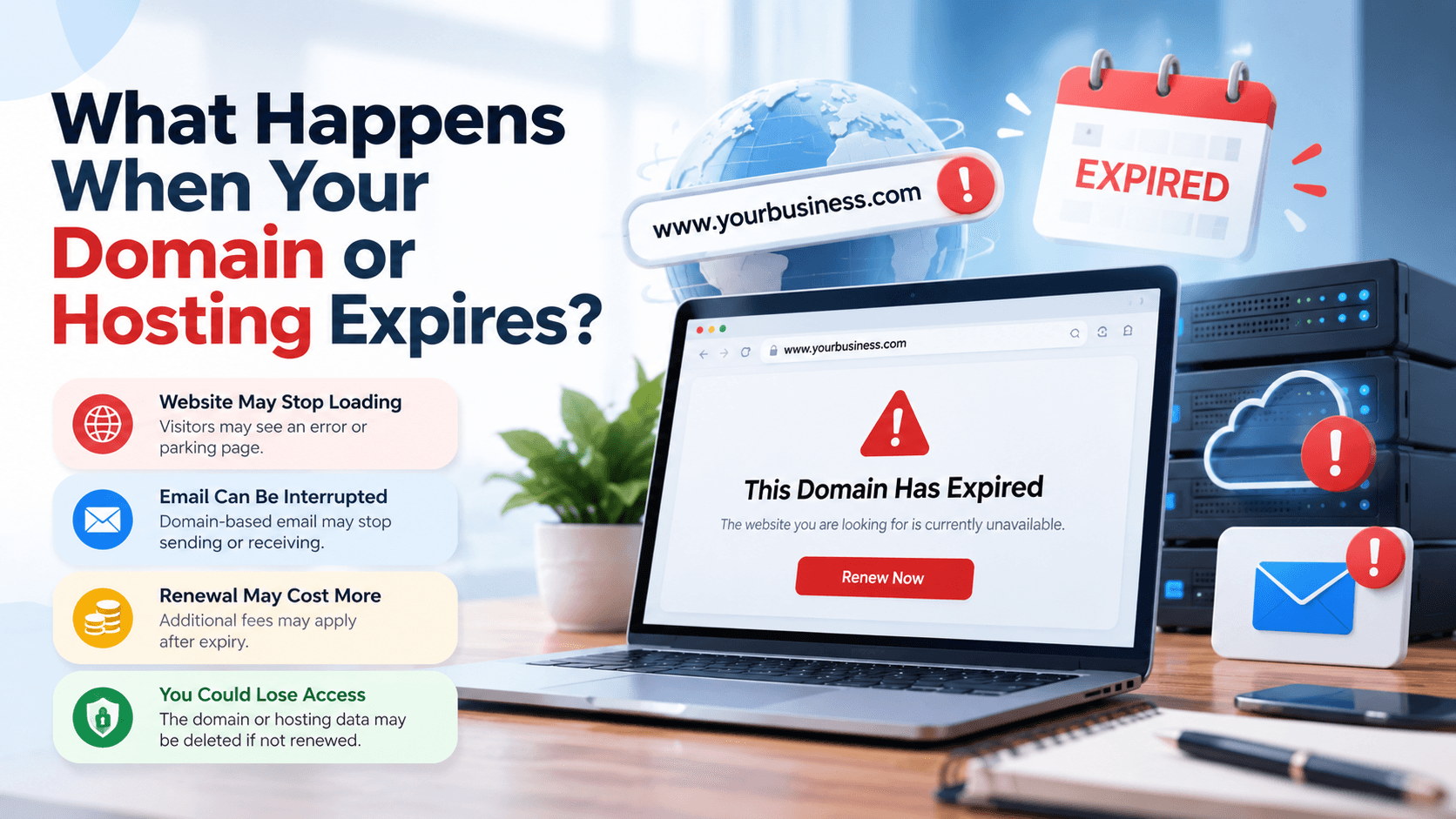

Understanding what happens when your domain or hosting expires can help you avoid website downtime, missed enquiries and potentially lost data. Although these services work together, they have different roles—and renewing one does not automatically renew the other.
An expired domain can stop customers from reaching your website and using domain-based email. Expired hosting can make your website unavailable and, depending on the provider’s policy, eventually lead to deletion of stored files and databases.
Recovery depends on which service expired, its current status and the provider’s terms. Acting quickly gives you more options.
Domain vs Hosting: What Is the Difference?
Your domain is your website’s address, such as yourbusiness.com. Hosting provides the server space and resources needed to run the website.
Think of the domain as the address customers use and hosting as the place where your website operates.
| Service | What It Provides | What Expiry Can Affect |
| Domain registration | Your right to use a website address | Website access, email routing and ownership of the address |
| Web hosting | Storage and operation of website files and databases | Website availability, applications and retained data |
| Email hosting | Mailboxes and email services | Sending, receiving and stored messages |
| SSL certificate | HTTPS security for a domain | Secure access and browser warnings |
These services may be bundled, but their renewal dates and billing arrangements can differ. Website platforms such as Shopify also have subscription arrangements separate from domain registration.
What Happens When Your Domain Expires?
Your Website May Stop Loading
After expiry, the registrar may interrupt the domain’s DNS service. Visitors might see an error, an expiry notice or a parking page rather than your website.
Your website files may still exist on active hosting. However, customers cannot reliably reach them through the expired address.
ICANN explains that domain-related DNS disruption can stop both website and email services. ICANN
Domain-Based Email Can Be Interrupted
An address such as sales@yourbusiness.com depends on working domain records, even when its mailbox is hosted separately.
Messages may bounce or fail to arrive while the domain is unavailable. Existing mailbox data is a separate issue governed by your email provider’s account and retention policies.
Do not assume that messages missed during the outage will arrive after renewal.
Renewal May Become More Expensive—or Unavailable
Some registrars offer a post-expiration renewal period. Its availability, duration and fees depend on the registrar and domain extension.
For generic domains covered by ICANN’s policy, a 30-day Redemption Grace Period follows deletion by the registrar. Restoration may involve an additional fee. This is not a universal 30-day extension immediately after expiry. Country-code domains, including .in, can follow different registry rules. icann.org
You Could Lose the Domain Address
If recovery deadlines pass, the domain may become available to someone else. Some registrar arrangements also allow expired-domain auctions.
A lost domain can disrupt printed marketing material, customer bookmarks, email addresses and links from other websites.
Do not rely on a grace period as your renewal plan. Contact the registrar immediately to confirm the domain’s exact status and recovery options.
What Happens When Your Hosting Expires?
Your Website Can Be Suspended
A hosting provider may suspend service after a missed payment. Visitors could encounter a suspension notice, server error or unavailable page.
Your domain can remain registered while the website itself is offline. Renewing the domain alone will not reactivate expired hosting.
Website Files and Databases May Be Deleted
Hosting providers have different suspension, cancellation and backup-retention policies. Some retain recoverable data temporarily; others may offer limited or no recovery after deletion.
For example, Hostinger currently describes a 30-day reactivation window for certain expired hosting plans. That is a provider-specific policy, not a deadline that applies to every host. hostinger.com
If both the provider’s retained data and your independent backups are unavailable, rebuilding may be necessary.
For WordPress and WooCommerce websites, recovery usually requires both files and the database. A folder of images or a product export is not a complete website backup.
Included Services May Also Be Affected
Check whether the expired plan includes email, DNS management, backups or other services.
Separately hosted email may continue if the domain and its DNS records remain operational. Bundled services may have their own expiry and recovery rules.
Ask the provider about each service rather than assuming everything has the same status.
Can Domain or Hosting Expiry Affect SEO?
Website downtime prevents customers and search engines from accessing content. A brief interruption does not guarantee an immediate ranking loss, but prolonged unavailability can affect crawling and indexing.
Google warns that closing a website for an extended period can have negative consequences for its presence in Search. developers.google.com
Temporary Outages Need Appropriate Handling
If your server remains accessible during a short planned outage, a correctly configured 503 Service Unavailable response can indicate that the interruption is temporary.
It is not a long-term solution, and it cannot fix an expired domain’s DNS failure or a suspended hosting account. Google notes that lasting 503 responses can eventually lead to URLs being removed from its index. developers.google.com
Restoring Service Does Not Guarantee Instant Recovery
After recovery, verify that important pages load correctly and return the expected status codes.
Check Google Search Console for access or indexing issues. Preserve existing URLs and useful content wherever possible. Search visibility may need time to recover; there is no fixed recovery deadline.
What to Do When Your Domain or Hosting Expires
Step 1: Identify the Expired Service
Sign in to the domain registrar, hosting provider and website platform accounts.
Check:
- Expiry dates and unpaid invoices.
- Domain status and renewal availability.
- Hosting suspension or cancellation notices.
- Email service status.
- Whether another person or agency manages billing.
Confirm the issue before buying a replacement service.
Step 2: Contact the Provider Immediately
Ask the registrar whether normal renewal or domain restoration is required.
Ask the host:
- Can the account be reactivated?
- Are files and databases still available?
- Which backups can be recovered?
- What is the exact recovery deadline?
- Are email accounts handled separately?
Use the provider’s verified website or account dashboard when making payments.
Step 3: Recover the Website and Preserve Current Data
Renew or restore the affected service. If hosting data has been deleted, restore an appropriate backup to an active environment.
For an ecommerce store, check the backup date carefully. An older restoration may omit recent orders, customer records or stock changes. Reconcile these with payment and fulfilment records.
Step 4: Check DNS, HTTPS and Email
Confirm the domain points to the correct website and email services. Verify that HTTPS works without certificate warnings.
DNS caching and account restoration can delay availability, so ask the provider what to expect rather than assuming instant recovery.
Test email in both directions.
Step 5: Verify Business Functions
Check more than the homepage:
| Function | Recovery Check |
| Important pages | Content and links load correctly |
| Contact forms | Submissions reach the intended inbox |
| Checkout | Orders and payments work |
| Sending and receiving function | |
| Tracking | Expected analytics events appear |
| Integrations | Connected systems receive data |
Record the incident and create a fresh backup after recovery.
How to Prevent Domain and Hosting Expiry
Keep Ownership and Access Clear
Register business services under accounts the business can access. Maintain a record of providers, renewal dates and responsible team members.
Use secure password management and two-factor authentication where available.
Enable Auto-Renewal and Check Payment Details
Auto-renewal helps, but it can fail because of an expired card, insufficient funds or billing restrictions.
Verify the payment method and check that renewal actually completes.
Set Independent Renewal Reminders
Create reminders before the expiry date rather than relying only on provider emails.
Where possible, use a recovery contact address that does not depend on the domain being renewed.
Keep Backups Outside Your Hosting Account
Store independent backups and periodically test restoration. WordPress recommends backing up both website files and the database and retaining copies in different locations. developer.wordpress.org
FAQs About Domain and Hosting Expiry
Will my website be deleted immediately when my domain expires?
Domain expiry does not normally delete website files stored on separate active hosting. It can make the website unreachable through that address. Hosting expiry has separate data-retention consequences.
Can I renew an expired domain?
Possibly. Recovery depends on its status, extension and registrar policy. Contact the registrar immediately; do not assume renewal remains available.
Does renewing hosting renew my domain?
Not necessarily. Even when purchased together, they may be separate subscriptions. Check both renewal confirmations.
Will business email work if hosting expires?
It depends on where email and DNS are hosted. Separately hosted email may continue, while services included in the expired plan may be interrupted.
Can I move to another host after my hosting expires?
Yes, if you can recover the required files, database and configuration. A new hosting account does not automatically retrieve deleted website data.
How long does website recovery take?
Recovery varies with domain status, provider processing, DNS caching and whether a backup restoration is necessary. Ask your provider for an estimate based on your account.
Keep Your Business Website Accessible with Start Above LLP
Need help checking renewals, recovering your website or planning dependable website maintenance? Contact Start Above LLP to discuss your domain, hosting and website support requirements.
📞 Call: +91 88882 73239 / +91 9028317379
📧 Email: info@startabove.in
🌐 Website: www.startabove.in
📍 Location: Pune, Maharashtra. www.startabove.in