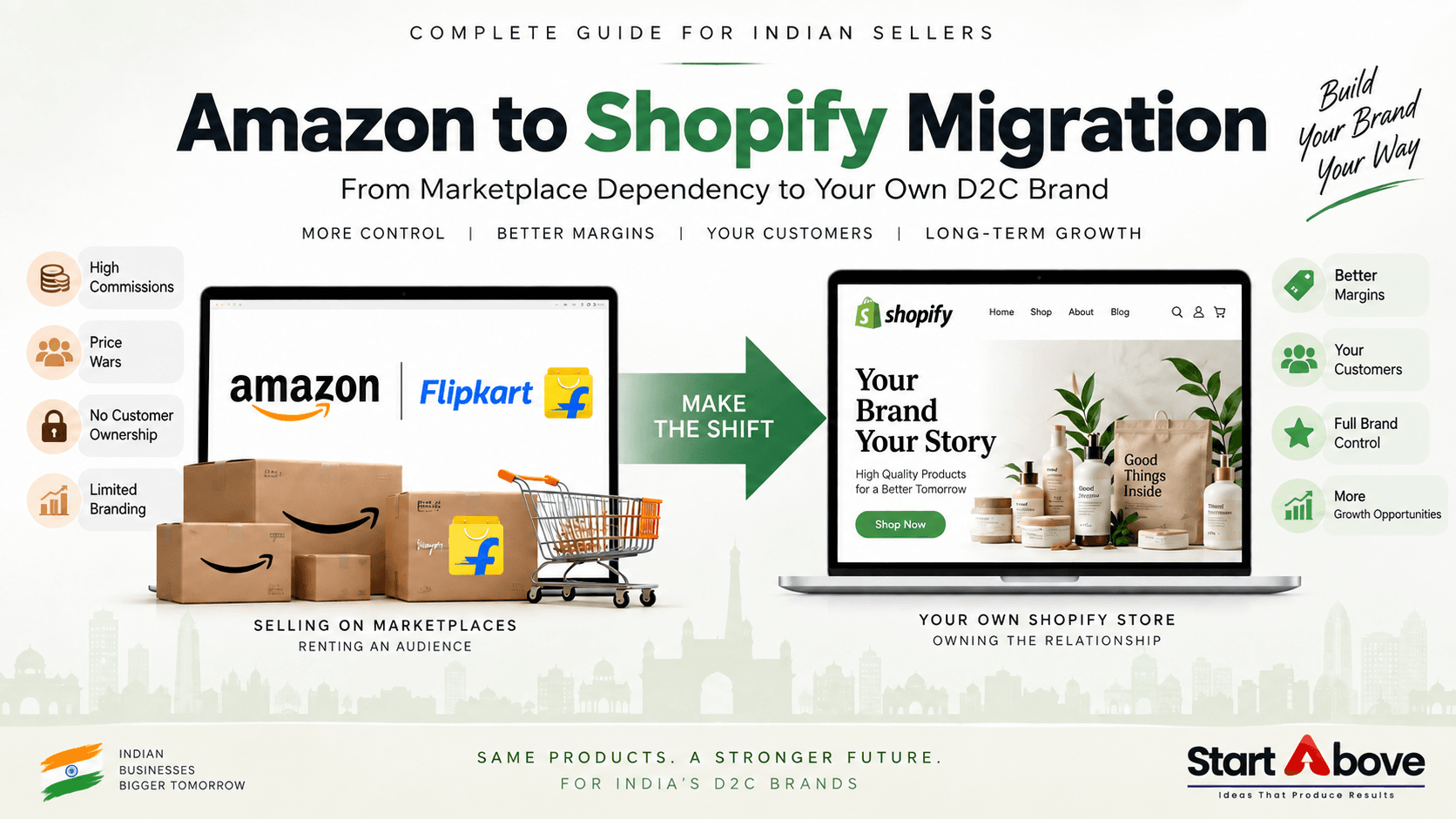

If you are currently selling on Amazon or Flipkart and thinking about building your own ecommerce website, an Amazon to Shopify migration can be an important step toward creating a stronger, more independent online brand.
Moving from a marketplace to Shopify does not necessarily mean leaving Amazon or Flipkart completely.
For many Indian sellers, the better strategy is to use marketplaces for product discovery and reach while building a Shopify store as a direct-to-customer sales channel.
Your own Shopify store gives you greater control over your branding, pricing, customer experience, marketing, customer data and long-term ecommerce strategy.
In this guide, we explain exactly what changes when you move from Amazon or Flipkart to Shopify, what you need before migration, and how Indian ecommerce brands can manage both channels effectively.
What Is Amazon to Shopify Migration?
Amazon to Shopify migration is the process of moving or recreating your products, categories, images, content and ecommerce operations from an Amazon marketplace setup to your own Shopify-powered online store.
The same approach can be used for sellers planning a Flipkart to Shopify migration.
Depending on your existing marketplace business, migration may include:
- Product catalogue migration
- Product image migration
- Product description optimization
- Shopify theme setup
- Collection and category creation
- Payment gateway integration
- Shipping and courier integration
- COD setup
- SEO optimization
- Analytics configuration
- WhatsApp integration
- Email marketing setup
- Conversion tracking
- Performance marketing setup
The goal is not simply to copy marketplace listings into Shopify.
A successful migration should turn your product catalogue into a branded ecommerce experience designed to generate direct sales.
Why Are Amazon and Flipkart Sellers Building Shopify Stores?
Amazon and Flipkart give sellers access to large existing audiences. However, marketplaces also control many parts of the buying experience.
When you operate your own Shopify store, you gain much greater control over how customers interact with your brand.
The biggest reasons sellers consider marketplace to Shopify migration include:
- Greater control over branding
- Direct customer relationships
- More flexibility in pricing and offers
- Better opportunities for repeat marketing
- Custom product presentation
- Customer data access
- Email and WhatsApp marketing
- Bundling and upselling opportunities
- Reduced dependency on one marketplace
- Ability to build a long-term D2C brand
For FMCG, fashion, beauty, food, lifestyle and consumer-product businesses, these advantages can become especially important as the brand grows.
Amazon vs Shopify: What Is the Main Difference?
The biggest difference between Amazon and Shopify is who controls the customer experience.
Amazon is a marketplace.
Shopify allows you to build your own ecommerce store.
On Amazon or Flipkart, your products appear alongside competing products within a marketplace-controlled environment.
On Shopify, you control:
- Website design
- Navigation
- Product presentation
- Pricing
- Discounts
- Customer communication
- Checkout experience
- Brand storytelling
- Product recommendations
- Retargeting
- Customer retention campaigns
This is why Shopify is often used by businesses that want to move from simply selling products online to building an ecommerce brand.
What Changes After Moving from Amazon or Flipkart to Shopify?
Several important parts of your business change once you start selling through your own Shopify store.
1. You Gain More Control Over Pricing and Margins
Marketplace selling involves different charges that may include referral fees, fulfilment fees, advertising costs, logistics charges and other category-dependent fees.
These costs vary significantly depending on the marketplace, product category and fulfilment method.
With Shopify, the cost structure is different.
You will generally need to account for:
- Shopify subscription
- Payment gateway charges
- Shopify apps
- Shipping costs
- COD costs
- Website maintenance
- Digital marketing
- Advertising
The advantage is that you have more control over how your products are priced and promoted.
You can also create:
- Product bundles
- Quantity discounts
- Buy-more-save-more offers
- Free-shipping thresholds
- Subscription offers
- Combo packs
- Customer-specific coupons
These options can help increase average order value and improve ecommerce profitability.
2. You Control Your Brand Presentation
Marketplace product pages follow predefined layouts.
That means your ability to differentiate your brand is limited.
A Shopify store gives you significantly more control over your ecommerce experience.
You can showcase:
- Premium product photography
- Product videos
- Brand story
- Founder story
- Product benefits
- Comparison tables
- Customer testimonials
- User-generated content
- Ingredients or specifications
- Frequently asked questions
- Product bundles
- Related products
- Brand values
- Packaging
- Certifications
Instead of competing only on price, your website can explain why customers should choose your brand.
This is particularly valuable for D2C brands where packaging, positioning, trust and storytelling influence purchasing decisions.
3. You Build Direct Customer Relationships
One of the biggest advantages of owning an ecommerce website is the ability to build a direct relationship with customers who purchase from your store.
Depending on your setup and applicable privacy requirements, your Shopify store can help you collect and use customer information such as:
- Email address
- Phone number
- Order history
- Product preferences
- Purchase frequency
- Cart activity
- Customer location
- Average order value
This information can support customer retention campaigns such as:
- Abandoned-cart reminders
- Reorder reminders
- Product recommendations
- New-launch announcements
- Festival offers
- Loyalty campaigns
- Email newsletters
- WhatsApp updates
For repeat-purchase categories such as food, personal care, beauty, wellness and FMCG, customer retention can be particularly important.
4. You Have More Control Over Payments and Checkout
Amazon and Flipkart manage most parts of the payment process for marketplace orders.
With Shopify, you need to configure the payment experience for your own customers.
Indian ecommerce stores commonly consider payment methods such as:
- UPI
- Credit cards
- Debit cards
- Net banking
- Wallets
- Cash on Delivery
Your payment setup should be simple, mobile-friendly and trustworthy.
You should also clearly display relevant information such as:
- Shipping policy
- Return or replacement policy
- Cancellation policy
- Privacy policy
- Terms and conditions
- Contact details
Reducing checkout friction is important because even small complications can result in abandoned carts.
5. Logistics Become Your Responsibility
Logistics is one of the most important parts of a successful Shopify migration in India.
Marketplace fulfilment services can handle many logistics operations.
When you operate an independent Shopify store, you need your own fulfilment process.
You may choose to:
- Work with individual courier companies
- Use a shipping aggregator
- Partner with a third-party logistics provider
- Manage fulfilment internally
Your logistics setup should account for:
- Shipping zones
- Product weight
- PIN code serviceability
- COD availability
- Order tracking
- Shipping charges
- Free-shipping conditions
- Return-to-origin or RTO risk
- Return and replacement workflows
Do not wait until after your website launches to plan logistics.
Payments, shipping and order fulfilment should be tested before your first marketing campaign goes live.
6. Website Traffic Becomes Your Responsibility
This is one of the biggest differences between marketplaces and an independent ecommerce website.
Amazon and Flipkart already have users searching for products.
A new Shopify store does not automatically receive high-quality traffic.
You need a customer-acquisition strategy.
That can include:
Ecommerce SEO
Optimize your:
- Product pages
- Collection pages
- Category pages
- Blog content
- Product titles
- Meta titles
- Meta descriptions
- Image alt text
- Internal links
- Structured data
SEO can help your ecommerce store appear when potential customers search on Google.
Google Ads
Google Shopping, Search and Performance Max campaigns can help capture buyers who already have purchasing intent.
Meta Ads
Instagram and Facebook advertising can help brands generate awareness, retarget website visitors and promote individual products or offers.
Email Marketing
Email can support:
- Welcome campaigns
- Abandoned-cart recovery
- Repeat purchases
- Product launches
- Promotional campaigns
WhatsApp Marketing
For many Indian ecommerce businesses, WhatsApp can support order communication, customer service and repeat-purchase campaigns.
Should You Completely Leave Amazon or Flipkart?
In many cases, no.
Running both channels can provide greater diversification.
You can use:
Amazon and Flipkart for:
- Marketplace visibility
- Product discovery
- Marketplace search traffic
- New customer acquisition
And your Shopify website for:
- Brand building
- Direct customer relationships
- Repeat purchases
- Product bundles
- Exclusive products
- Customer retention
- Content marketing
- SEO
- First-party customer journeys
Instead of thinking Amazon vs Shopify, many businesses can think in terms of Amazon + Shopify.
The objective is to gradually reduce dependence on any single sales platform.
Amazon to Shopify Migration Checklist
Before migrating, use this practical checklist.
Step 1: Audit Your Existing Marketplace Catalogue
Review:
- Product titles
- SKUs
- Variants
- Pricing
- Images
- Descriptions
- Product specifications
- Inventory
- Categories
Do not automatically copy every marketplace listing exactly as it appears.
Your own store should have content designed specifically for your brand and organic search.
Step 2: Plan Your Shopify Store Architecture
Create clear categories and collections.
For example:
Home → Category → Collection → Product
Your navigation should make it easy for users and search engines to understand your products.
Step 3: Create SEO-Friendly Product Pages
Each important product page should include:
- Unique product title
- Clear H1
- Product description
- Benefits
- Specifications
- FAQs
- High-quality images
- Image alt text
- Meta title
- Meta description
- Product schema
- Related products
Avoid copying marketplace descriptions word-for-word when possible.
Unique content can strengthen your brand and help your website build its own search visibility.
Step 4: Configure Payments
Set up payment methods appropriate for your target audience.
Test the complete buying journey:
Product → Cart → Checkout → Payment → Order Confirmation
You should test successful payments as well as failed or cancelled transactions.
Step 5: Configure Shipping
Define:
- Shipping zones
- Shipping rates
- Weight rules
- Free-shipping thresholds
- COD rules
- Courier integration
- Tracking notifications
Complete test orders before launch.
Step 6: Set Up Analytics and Conversion Tracking
Your Shopify store should ideally have analytics configured before marketing begins.
Depending on your marketing stack, this can include:
- Google Analytics
- Google Search Console
- Google Merchant Center
- Meta Pixel
- Google Ads conversion tracking
Without proper tracking, it becomes difficult to understand which campaigns are generating actual revenue.
Step 7: Optimize the Store for Google Search
A proper Shopify SEO setup should include:
- SEO-friendly URLs
- Optimized product titles
- Unique meta descriptions
- Collection-page content
- Internal linking
- Image optimization
- Structured data
- Mobile optimization
- Page-speed optimization
- Helpful blog content
If you need professional support, explore our Shopify development services in Pune and across India:
Step 8: Create a Launch Marketing Strategy
Do not simply publish the website and wait for orders.
Your launch strategy can include:
- Existing customer outreach
- Instagram campaign
- Google Ads
- Meta Ads
- Influencer collaborations
- WhatsApp campaign
- Email marketing
- Introductory offers
- Bundled products
- SEO content
Your initial goal should be to bring qualified traffic to the store and learn how visitors interact with it.
Common Mistakes During Marketplace to Shopify Migration
Copying Marketplace Listings Exactly
Marketplace content is often designed for marketplace search algorithms.
Your Shopify pages should also target Google search, brand trust and conversions.
Launching Without SEO
If your products, collections and technical SEO are not optimized before launch, you may lose valuable time rebuilding pages later.
Ignoring Mobile Experience
A large percentage of Indian ecommerce traffic comes from mobile devices.
Your store should have:
- Fast loading
- Clear navigation
- Easy-to-use buttons
- Readable content
- Smooth checkout
- Mobile-friendly product galleries
Ignoring COD and RTO
Cash on Delivery can increase conversion opportunities but may also increase return-to-origin risk.
Businesses should have appropriate COD verification and logistics processes.
Depending Only on Paid Ads
Paid advertising can generate traffic quickly, but long-term ecommerce growth is usually stronger when paid acquisition is combined with:
- SEO
- Repeat customers
- Organic social media
- Content marketing
Is Shopify Suitable for Amazon and Flipkart Sellers?
Shopify can be suitable for sellers who want to build an independent ecommerce presence alongside their marketplace business.
It can be particularly useful for businesses that want greater control over:
- Brand identity
- Customer experience
- Product presentation
- Promotions
- Customer retention
- Marketing
- Website SEO
However, Shopify does not replace the need for marketing, logistics and customer service.
Owning the platform gives you more control, but it also means taking responsibility for generating and converting traffic.
Marketplace vs Shopify: Quick Comparison
| Factor | Amazon / Flipkart | Shopify Store |
|---|---|---|
| Existing marketplace traffic | Yes | You build your own traffic |
| Brand control | Limited | High |
| Website design control | Limited | High |
| Customer relationship | Marketplace-led | Direct |
| Product-page customization | Limited | Flexible |
| SEO opportunities | Marketplace-focused | Google + ecommerce SEO |
| Email marketing | Limited | Available |
| WhatsApp marketing | Limited | Can be integrated |
| Bundles and upsells | Restricted | Highly customizable |
| Marketing responsibility | Shared with marketplace ecosystem | Primarily your responsibility |
Frequently Asked Questions About Amazon to Shopify Migration
How do I migrate from Amazon to Shopify in India?
Start by auditing your existing Amazon catalogue, exporting product information where available, creating your Shopify store architecture, importing or recreating products, configuring payments and shipping, and optimizing every important page for SEO and conversions.
A professional Shopify developer can also help with catalogue migration, store design, payment integration, shipping setup and SEO.
Can I migrate from Flipkart to Shopify?
Yes. Flipkart sellers can create an independent Shopify store and recreate their existing product catalogue, categories, images and product information.
You should optimize the content for your own website rather than simply copying marketplace listings.
Can I sell on Amazon, Flipkart and Shopify at the same time?
Yes.
Many ecommerce businesses use multiple sales channels simultaneously.
Amazon and Flipkart can provide marketplace reach while Shopify functions as the brand’s own ecommerce channel.
Should I leave Amazon after launching Shopify?
Not necessarily.
For many brands, maintaining both marketplace and direct ecommerce channels can reduce dependence on a single platform.
The ideal channel mix depends on your margins, customer acquisition costs, product category and business strategy.
Can Amazon reviews be transferred to Shopify?
Marketplace reviews are generally tied to the marketplace platform and do not automatically become native Shopify reviews.
Brands should build authentic social proof on their own store through genuine customer reviews, testimonials and user-generated content.
How long does Amazon to Shopify migration take?
The timeline depends on the number of products, custom features, integrations, design requirements, payment setup and shipping complexity.
A small catalogue with a standard Shopify setup may take considerably less time than a large store requiring custom functionality, advanced filters, automation and complex integrations.
Is Shopify better than Amazon?
They serve different purposes.
Amazon offers marketplace reach and an existing customer base.
Shopify gives businesses more control over their ecommerce website, brand presentation, customer journey and marketing.
Many businesses benefit from using both instead of treating them as mutually exclusive options.
Do I need SEO after migrating to Shopify?
Yes.
SEO can help your Shopify store appear for relevant product, category and informational searches on Google.
Important areas include product-page SEO, collection-page SEO, internal linking, technical SEO, image optimization, structured data and helpful blog content.
How much does it cost to move from Amazon to Shopify?
The cost depends on your Shopify plan, number of products, design requirements, apps, integrations, payment configuration, shipping setup, SEO and any custom development required.
A basic Shopify store and a customized D2C ecommerce website can therefore have very different budgets.
Amazon to Shopify Migration India: What Changes When You Build Your Own Online Store?
Moving from Amazon or Flipkart to Shopify is more than a website-development project.
You need the right combination of:
- Ecommerce strategy
- Shopify development
- Product migration
- UI/UX
- Payment integration
- Shipping integration
- SEO
- Analytics
- Performance marketing
- Conversion optimization
Start Above LLP provides Shopify development and marketplace-to-Shopify migration services for D2C brands, FMCG businesses, manufacturers, retailers and ecommerce sellers in Pune and across India.
We can help you plan and build your Shopify store from initial architecture through launch and ongoing growth.
Our Shopify services can include:
- Shopify website development
- Amazon to Shopify migration
- Flipkart to Shopify migration
- Product catalogue migration
- Custom Shopify design
- Payment gateway integration
- Shipping and courier integration
- COD setup
- Shopify SEO
- Google Analytics and tracking setup
- Performance marketing
- Ecommerce growth support
Looking to Move Beyond Marketplace Dependency?
Build a direct ecommerce channel that gives your business greater control over branding, customer relationships and long-term growth.
Explore our Shopify Development Services:
Start Above LLP
📞 +91 88882 73239
📞 +91 9028317379
✉️ info@startabove.in
📍 484/21, Bhaginikrupa, Mitra Mandal Housing Society, Parvati, Pune, Maharashtra 411009
Talk to Start Above LLP about building or migrating your Shopify store.